Security Model
HomeGantry is secure by default: out of the box the dashboard is read-only, the API never returns secrets, and nothing you do in the browser can change your containers. This page explains what HomeGantry protects, how to enable editing, and how to deploy it safely.
Threat model
HomeGantry is meant to run on a home LAN, often behind a reverse proxy, and sometimes reachable from the internet.
| What we protect | How |
|---|---|
| Your Docker host | HomeGantry only reads from Docker (list containers, watch events). It never starts, stops, creates or removes anything. Use a read-only socket proxy. |
| Secrets in your containers | The API returns an explicit allow-list of fields. Env vars, mounts, full label sets and other internals are never sent to the browser. |
| Your dashboard configuration | All edits (overrides, manual services, stacks, settings) are refused unless the request is authorised. |
| Visitors' browsers | Strict security headers (CSP, no framing), URLs are validated (http(s) only, so no javascript: links), all input is validated. |
| Brute force and request floods | Per-IP rate limits on writes and on failed authentication attempts; request bodies are limited to 16 kB. |
Who can read, who can edit
| Who | Can |
|---|---|
| Anyone who can reach the dashboard | See the visible services (name, link, icon, category, status, exposure badge, image name and ports) and the dashboard settings. |
| An editor (admin token, or the auth header from a trusted proxy) | Also edit overrides, manual services, stacks and settings, list hidden services and see the knowledge-base coverage report. |
| Anyone who can set container labels or edit the dashboard | Make HomeGantry send health-check requests to any address it can reach (see Traefik API and health checks). |
| Nobody, through HomeGantry | Start, stop or change containers, read env vars, mounts or secret-looking labels, or read the Traefik credentials. |
With HOMEGANTRY_READONLY=true or in demo mode there are no editors.
Out of scope: user accounts and roles (HomeGantry has one "editor" level), and protecting the read-only dashboard from people who can reach it. If the list of services itself is sensitive, put HomeGantry behind your reverse proxy's authentication (see below).
Read-only by default
Without configuration HomeGantry is a read-only dashboard: every PUT, POST, PATCH and DELETE under /api/ is rejected, and the UI hides the edit controls and shows a Read-only badge. The startup log says how to enable editing.
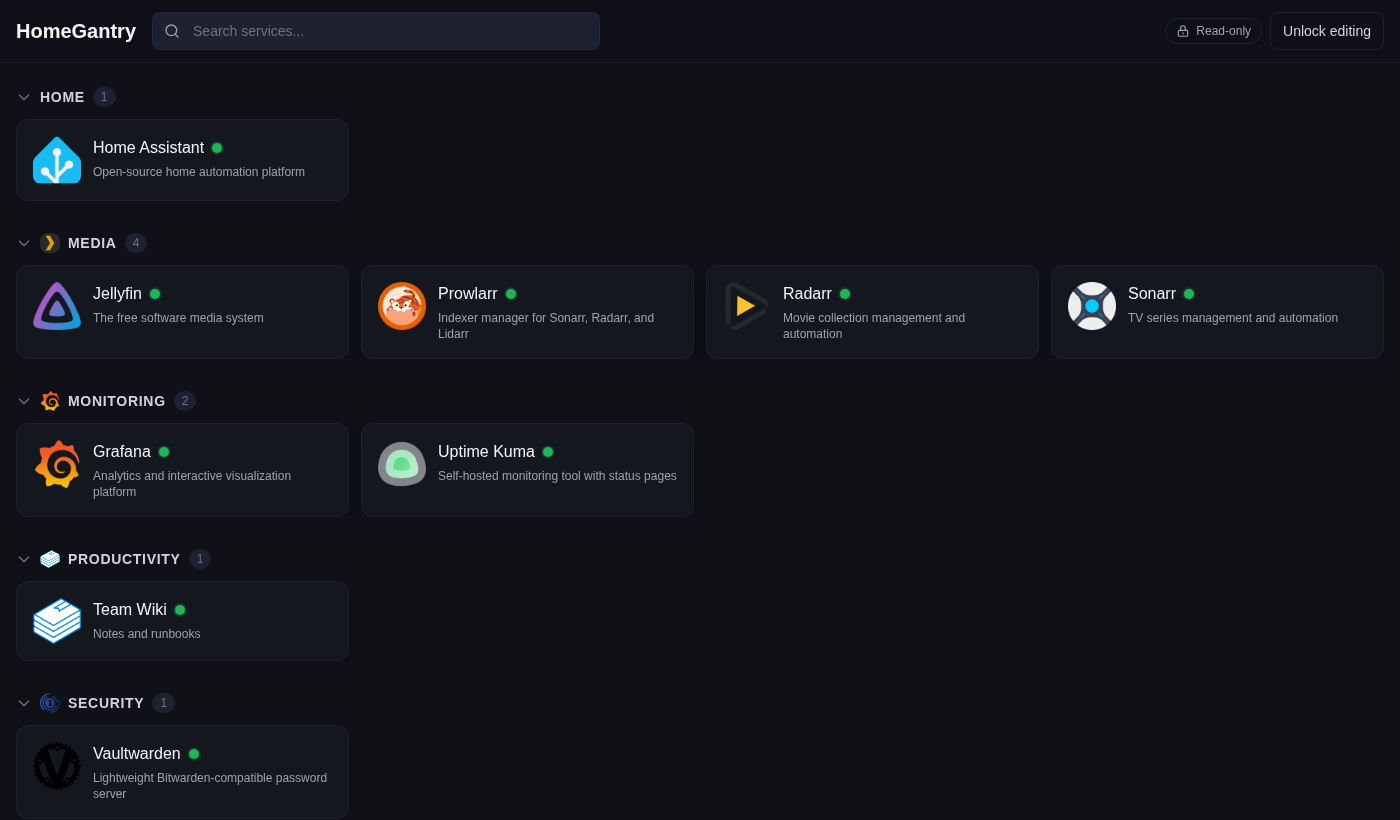
There are two ways to authorise edits. Either is enough; both are optional.
Option 1: admin token
# Generate a long random token (at least 24 characters, or it is ignored)
openssl rand -hex 32environment:
- HOMEGANTRY_ADMIN_TOKEN=${HOMEGANTRY_ADMIN_TOKEN} # set it in .env, not in gitThe UI now shows Unlock editing. Enter the token once; it is kept in the tab's sessionStorage (gone when you close the tab) and sent as Authorization: Bearer <token>. Lock forgets it again. Scripts can use the same header:
curl -X PATCH https://homegantry.example.com/api/settings \
  -H "Authorization: Bearer $HOMEGANTRY_ADMIN_TOKEN" \
  -H 'Content-Type: application/json' \
  -d '{"columns": 5}'
The token is compared in constant time. After 10 failed attempts from one client IP within 15 minutes, further attempts from that IP are refused (HTTP 429) until the window ends.
Behind a reverse proxy, also set HOMEGANTRY_TRUSTED_PROXIES
Behind Traefik, nginx, Caddy, ... every request reaches HomeGantry from the proxy's IP. Unless that IP is listed in HOMEGANTRY_TRUSTED_PROXIES, all visitors share one rate-limit key: anyone can send 10 wrong tokens and lock every editor out for 15 minutes, and all clients share the 120 writes/minute budget. Set HOMEGANTRY_TRUSTED_PROXIES to the proxy's IP even if you only use the token; HomeGantry then keys the limits on the real client address from X-Forwarded-For. This does not enable header login unless HOMEGANTRY_AUTH_HEADER is also set.
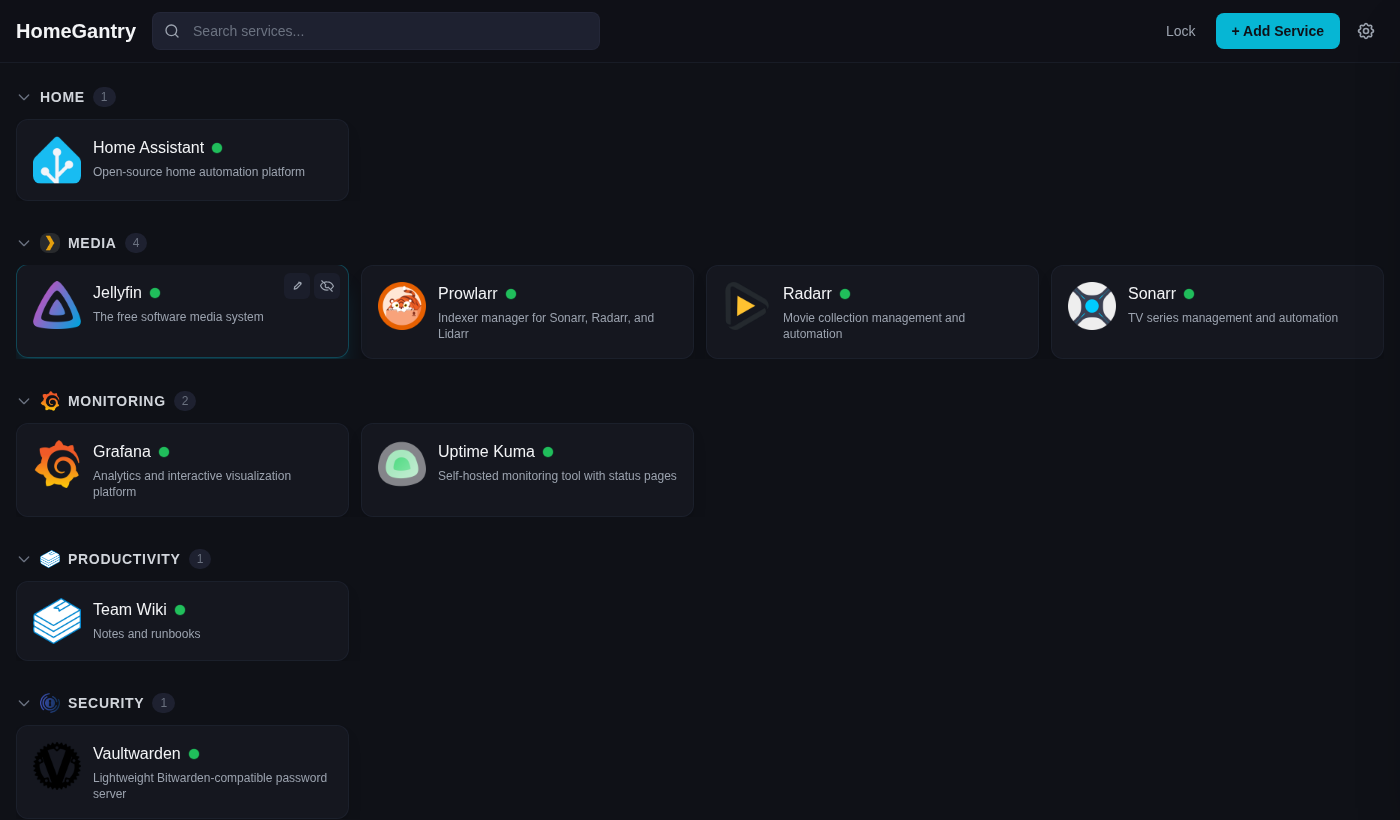
Option 2: forward-auth header (Authelia, Authentik, oauth2-proxy, ...)
If your reverse proxy already authenticates users, let it tell HomeGantry who is signed in:
environment:
  - HOMEGANTRY_AUTH_HEADER=Remote-User # Authelia; Authentik: X-authentik-username
  - HOMEGANTRY_TRUSTED_PROXIES=172.20.0.2/32 # the reverse proxy's fixed IP, nothing broader
Any request that carries a non-empty Remote-User header from a trusted proxy IP may edit. The header is ignored from every other IP, so a client cannot simply send it itself. Make sure:
HOMEGANTRY_TRUSTED_PROXIESlists only your reverse proxy's own IP (see ChoosingHOMEGANTRY_TRUSTED_PROXIES). Do not list a whole shared Docker network such as172.18.0.0/16: every container on that network could then sendRemote-Useritself and edit;- HomeGantry's port is not published directly (otherwise clients bypass the proxy), and
- the proxy strips or overwrites the header on incoming requests (Authelia, Authentik and oauth2-proxy do this for the headers they set).
Fully read-only
HOMEGANTRY_READONLY=true disables editing completely, even with a valid token or header. Useful for a public "status wall" instance.
No secrets in the API
/api/services, /api/stacks, /api/settings and the /api/events stream return the same explicit allow-list of fields: name, description, URL, icon, category, status, stack, and for containers only the name, image, state, compose project/service and port numbers. Container environment variables, mounts and full label sets are never read into the response. Labels whose key looks secret (*password*, *passwd*, *secret*, *token*, *key*, *credential*) are dropped as soon as containers are read, so they never enter HomeGantry's state at all.
Service URLs and icons are re-checked on the way out, including values from labels and data stored by older versions: only http(s) is served, user:pass@ is removed, and the UI renders anything else as a card without a link. Hidden services and services in hidden stacks are left out of every /api/events message.
Hidden services are also left out of GET /api/services. Listing them with GET /api/services?includeHidden=true needs the same rights as editing (admin token or trusted auth header). Without them the request gets the same answer a write would: 401 when editing is enabled but the request is not authorised, 403 when editing is disabled or HOMEGANTRY_READONLY=true. Hidden services are not secret by design, but a read-only visitor should see exactly what the dashboard shows and nothing more.
The knowledge-base coverage report (GET /api/kb/coverage) follows the same rule. It returns counts and image repositories only: no tags, labels, environment or other container details.
Traefik API and health checks
- Traefik credentials (
HOMEGANTRY_TRAEFIK_API_*) are only sent to the configured API. Redirects are refused, and they never appear in logs or API responses. - Traefik configuration: from each middleware only its name, type and chain members are kept. Basic-auth users, forward-auth addresses, IP ranges and backend server URLs are dropped on arrival. Middleware names are visible in the exposure badge tooltip.
- Health checks send no credentials and return only a status, a fixed reason, the HTTP code and a time. Logged URLs have no userinfo or query string.
- Outgoing requests: HomeGantry requests the URLs of your services, so someone who can edit the dashboard or set container labels can point it at any address it can reach. Only the status is exposed. Set
HOMEGANTRY_HEALTHCHECK=falseif that is not acceptable on your network. - Exposure badges are a hint. They describe the Traefik configuration, not what is actually reachable.
Request hardening
- Same-origin check: writes whose
Origin(orReferer) is not HomeGantry's own host are rejected (403). This stops other websites from making your browser edit the dashboard (CSRF), including with forward-auth cookies. Requests without either header (scripts,curl) are allowed through to authentication. - Validation: every request body, route parameter and query string is checked with a schema; unknown fields, overlong strings and non-
http(s)URLs are rejected with 400. - Limits: request bodies up to 16 kB; 120 writes per minute per client IP (behind a reverse proxy, see the warning under Option 1).
- Headers:
Content-Security-Policy(scripts and connections only to HomeGantry itself, no framing; images from anywhere over http(s) for icons, or only from HomeGantry itself withHOMEGANTRY_ICON_SOURCE=off),X-Content-Type-Options: nosniff,Referrer-Policy: same-origin,X-Frame-Options: DENY. - CORS is off. Set
HOMEGANTRY_CORS_ORIGINSonly if another web app must call the API from the browser.
Behind a trusted proxy, rate limits use the client address from X-Forwarded-For and the same-origin check also accepts X-Forwarded-Host; from other IPs those headers are ignored.
Docker socket: use a read-only socket proxy
Mounting /var/run/docker.sock gives a container full control of Docker, even with :ro (that only stops the file from being replaced, not API calls through it). HomeGantry only needs two read-only endpoints, so the recommended setup puts a socket proxy in between that allows exactly those:
# HomeGantry behind a read-only Docker socket proxy (recommended).
#
# HomeGantry never mounts the Docker socket itself. It talks to the socket proxy over a private
# network, and the proxy only allows the read-only endpoints HomeGantry uses:
#   GET /containers/json  (CONTAINERS=1)   and   GET /events  (EVENTS=1)
# Everything else (POST, exec, images, volumes, ...) is refused by the proxy.
#
# Usage:
#   cp examples/compose.socket-proxy.yaml compose.yaml   # in your own deployment directory
#   echo "HOMEGANTRY_ADMIN_TOKEN=$(openssl rand -hex 32)" > .env   # optional: enables editing
#   docker compose up -d
#
# See docs/guide/security.md for the full security model.
services:
  socket-proxy:
    image: tecnativa/docker-socket-proxy:v0.5.0 # pinned (newest tag published on Docker Hub); bump deliberately
    restart: unless-stopped
    environment:
      CONTAINERS: 1 # list containers (read-only)
      EVENTS: 1 # real-time container events (read-only)
      # Everything else off, explicitly:
      POST: 0
      PING: 0
      VERSION: 0
      INFO: 0
      IMAGES: 0
      NETWORKS: 0
      VOLUMES: 0
      SERVICES: 0
      TASKS: 0
      NODES: 0
      SECRETS: 0
      CONFIGS: 0
      EXEC: 0
      BUILD: 0
      COMMIT: 0
      AUTH: 0
      PLUGINS: 0
      SWARM: 0
      SYSTEM: 0
      DISTRIBUTION: 0
    volumes:
      - /var/run/docker.sock:/var/run/docker.sock:ro
    networks:
      - docker-api
    labels:
      - homegantry.exclude=true

  homegantry:
    image: ghcr.io/geraldvd/homegantry:latest
    restart: unless-stopped
    depends_on:
      - socket-proxy
    ports:
      - '3000:3000'
    environment:
      DOCKER_HOST: tcp://socket-proxy:2375
      HOMEGANTRY_HOST: ${HOMEGANTRY_HOST:-192.168.1.100}
      # Optional: enable editing with a token (at least 24 characters). Leave empty for read-only.
      HOMEGANTRY_ADMIN_TOKEN: ${HOMEGANTRY_ADMIN_TOKEN:-}
    volumes:
      - homegantry_data:/data
    networks:
      - docker-api
      - default

volumes:
  homegantry_data:

networks:
  # Internal network: the socket proxy is reachable only from HomeGantry, never from outside.
  docker-api:
    internal: true
HomeGantry connects through DOCKER_HOST=tcp://socket-proxy:2375; the proxy sits on an internal network and allows only CONTAINERS and EVENTS (all GET). POST and everything else is refused. The file is also in the repository as examples/compose.socket-proxy.yaml.
Reverse-proxy examples
Traefik + Authelia (forward auth for everything)
The whole dashboard requires a login; signed-in users may edit.
services:
  homegantry:
    image: ghcr.io/geraldvd/homegantry:latest
    environment:
      - DOCKER_HOST=tcp://socket-proxy:2375
      - HOMEGANTRY_AUTH_HEADER=Remote-User
      - HOMEGANTRY_TRUSTED_PROXIES=172.20.0.2/32 # Traefik's fixed IP on the "proxy" network
    networks: [proxy, docker-api]
    labels:
      - traefik.enable=true
      - traefik.docker.network=proxy
      - traefik.http.routers.homegantry.rule=Host(`homegantry.example.com`)
      - traefik.http.routers.homegantry.tls.certresolver=le
      - traefik.http.routers.homegantry.middlewares=authelia@docker
      - traefik.http.services.homegantry.loadbalancer.server.port=3000
with the usual Authelia middleware on your Authelia container:
- traefik.http.middlewares.authelia.forwardauth.address=http://authelia:9091/api/authz/forward-auth
- traefik.http.middlewares.authelia.forwardauth.trustForwardHeader=true
- traefik.http.middlewares.authelia.forwardauth.authResponseHeaders=Remote-User,Remote-Groups,Remote-Email,Remote-Name
Traefik + Authentik
Same as above, with Authentik's outpost middleware and its header name:
environment:
  - HOMEGANTRY_AUTH_HEADER=X-authentik-username
  - HOMEGANTRY_TRUSTED_PROXIES=172.20.0.2/32 # Traefik's fixed IP
labels:
- traefik.http.routers.homegantry.middlewares=authentik@docker# on the Authentik outpost container
- traefik.http.middlewares.authentik.forwardauth.address=http://authentik-outpost:9000/outpost.goauthentik.io/auth/traefik
- traefik.http.middlewares.authentik.forwardauth.trustForwardHeader=true
- traefik.http.middlewares.authentik.forwardauth.authResponseHeaders=X-authentik-username,X-authentik-groups,X-authentik-emailPublic read-only dashboard, token for editing
No proxy login; everyone sees the dashboard, only token holders edit:
environment:
  - HOMEGANTRY_ADMIN_TOKEN=${HOMEGANTRY_ADMIN_TOKEN}
  # Still trust the proxy, so rate limits use the real client IP (no shared lockout):
  - HOMEGANTRY_TRUSTED_PROXIES=172.20.0.2/32
Choosing HOMEGANTRY_TRUSTED_PROXIES
List only the reverse proxy itself. A shared proxy network usually holds many containers; trusting its whole subnet (e.g. 172.18.0.0/16) lets any of them send the auth header straight to HomeGantry and edit. Give the proxy a fixed IP instead and trust exactly that address:
# Traefik's compose file
services:
  traefik:
    networks:
      proxy:
        ipv4_address: 172.20.0.2

networks:
  proxy:
    external: true # created once with: docker network create --subnet 172.20.0.0/24 proxy
172.20.0.2 is only an example; docker network inspect proxy shows your network's subnet (under IPAM.Config) and each container's current address. If you cannot assign a fixed IP, put only HomeGantry and the proxy on a dedicated network and trust that small subnet.
Demo mode
HOMEGANTRY_DEMO=true (demo guide) is meant to be put on the internet:
- No Docker access: no Docker client is created; the socket,
HOMEGANTRY_DOCKER_SOCKETandDOCKER_HOSTare ignored. - No Traefik access: the example lab's routers come from memory;
HOMEGANTRY_TRAEFIK_API_URLis ignored. - No outgoing requests: health results are fixed per example service; no health check is sent.
- No editing: every write is refused with 403, whatever
HOMEGANTRY_ADMIN_TOKEN,HOMEGANTRY_AUTH_HEADERorHOMEGANTRY_READONLYsay, and nothing is read from or written to the data directory. A restart always shows the same lab.
Tests check each of these (test/server/demo.test.ts). The usual request hardening (headers, rate limits, validation) applies as everywhere else.
Reporting a vulnerability
Please report vulnerabilities privately through GitHub private vulnerability reporting ("Report a vulnerability" on the Security tab), not in a public issue. See SECURITY.md for what to include and what to expect.